Ok some pretty interesting updates. I learned a bit more about RGB and implemented that method of mixing that does the square root stuff so that red and green make orange. I have this implemented with the Smudge Linear mode selector setting. So you can choose a plethora of options now. 5 settings to switch from linear/non-linear, RGB and RYB models, adjustments with HCY/HSL/HSV, that Desaturation thing, and finally additive vs subtractive (not tested yet). In case you’re wondering where CMYK went, it dawned on me that CMY was just RGB flipped around (1-color). So, there’s not point to implement a CMY model; just make a selector for additive vs subtractive.
edit “SUB” below is really additive just the using the squared root blending (the 2nd additive model- Oh, it’s called linear mode?). I think the blending is much nicer with this mode for both RYB and RGB. You don’t get that weird darkening effect.
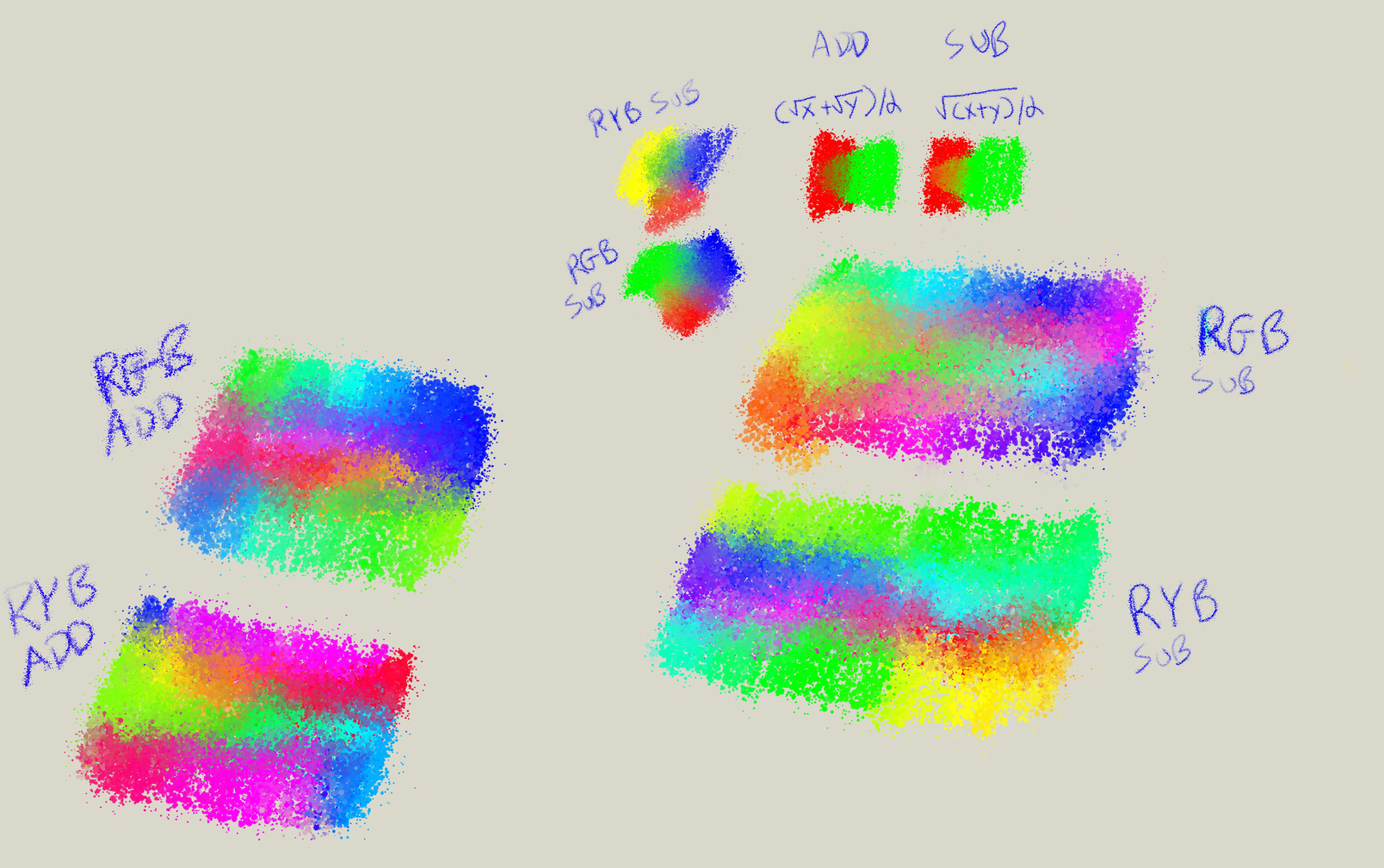
The two blogs on the lower left are the normal non-linear additive blending, and the blobs on the lower right are the linear.
“Subtractive” blending is kinda impossible I think, without Scott Burns spectral method. Reason is, everything turns to black (cue Rolling Stones or Pearl Jam). When you multiply (which is how to do subtractive blending) Red * Green, or Red * Blue, etc etc, you get black. It’s really annoying. So, I think I’ll try the “merge grain” formula which is A+B - 0.5. Still additive, but subtracts 50% grey from the mix… Probably just have to figure out a way to “fake it”. edit no such luck. Subractive mode will have to be a slider between Additive and the Scott Burns subtractive method, I think.